10 Business Travel Use Cases You Can Automate Today (Because We Are All Just Tired)
Let’s be real for a second. If I have to log into one more clunky, grey-and-blue travel portal that looks like it was built before the first iPhone, I might actually cry. It’s giving "beige walls and fluorescent lights" energy.
You know the drill. You need to get to a client meeting. You spend 45 minutes fighting with dropdown menus, cross-referencing flight times with your calendar, and trying to figure out if booking "Economy Class" will get you flagged by Finance. It’s a canon event we all go through.
And expense reports? Please. You have receipts from 2019 still living in my wallet. You treat them like little guilt souvenirs.
But here’s the thing: We are living in 2025. We have AI that can generate entire movies. Why are we still booking business travel like we’re using dial-up?
As a product marketer, I see a lot of "game-changing" tech. Most of it is mid. But Conversational AI Copilots for business travel? That’s the real deal. It’s the difference between having a personal assistant and having a filing cabinet thrown at you.
I’m talking about tools like TripGain that live where you actually work (Slack, Teams, WhatsApp) and just handle it.
A sneak peek into what we have built – 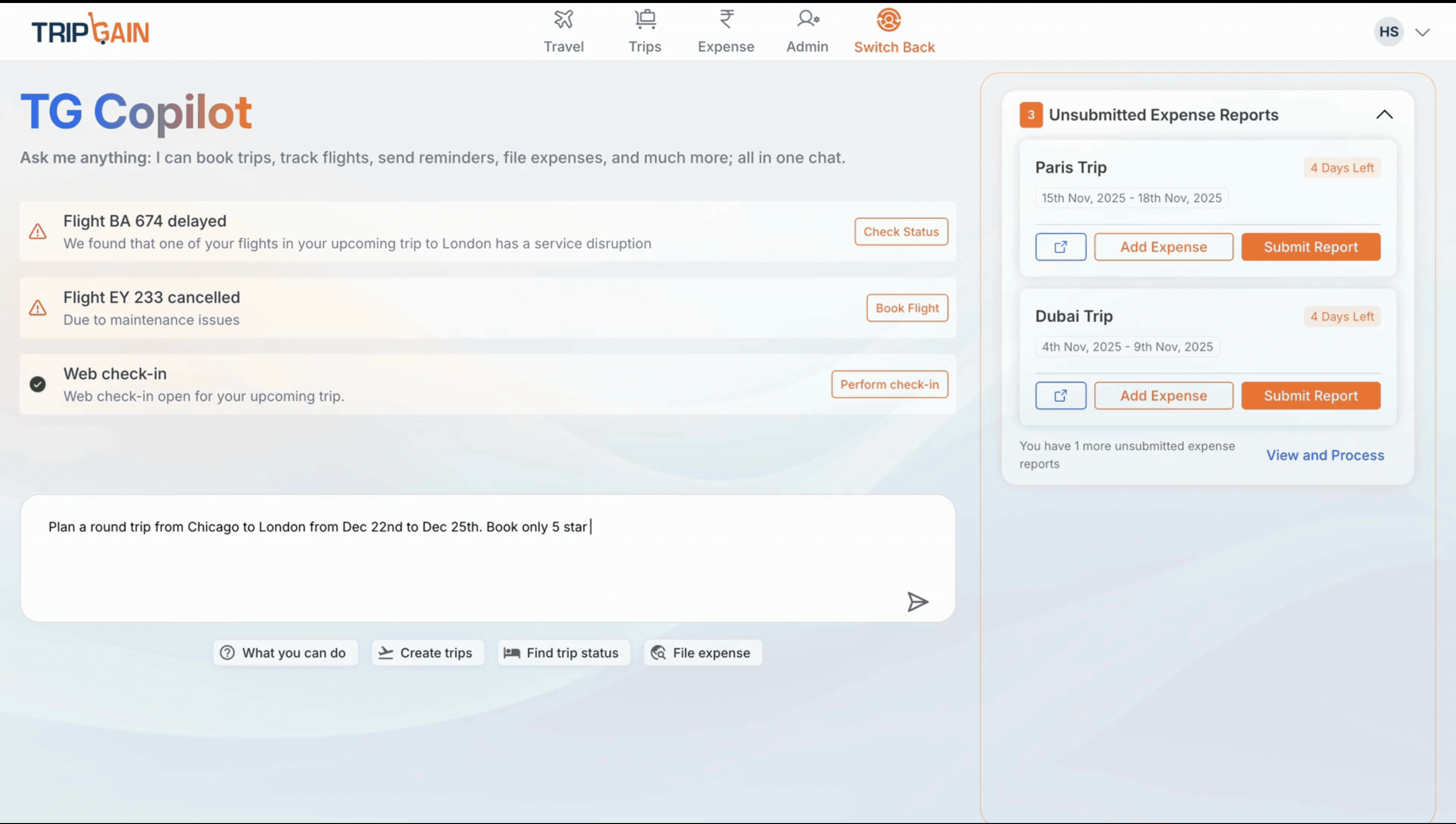
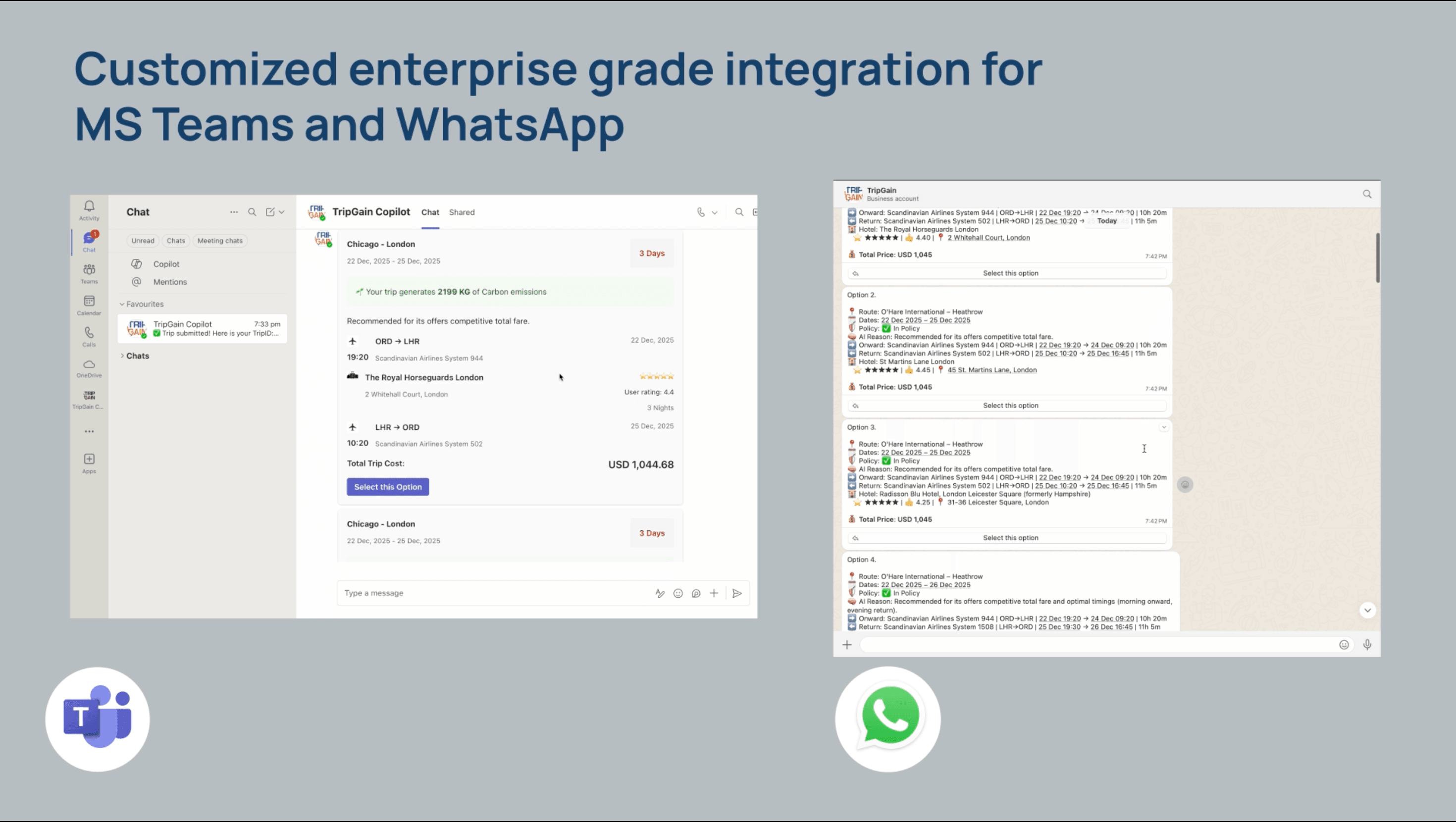
So, mostly to save my own sanity, and hopefully yours; here are 10 specific things you can automate right now with an AI Copilot.
1. The "Just Get Me There" Booking
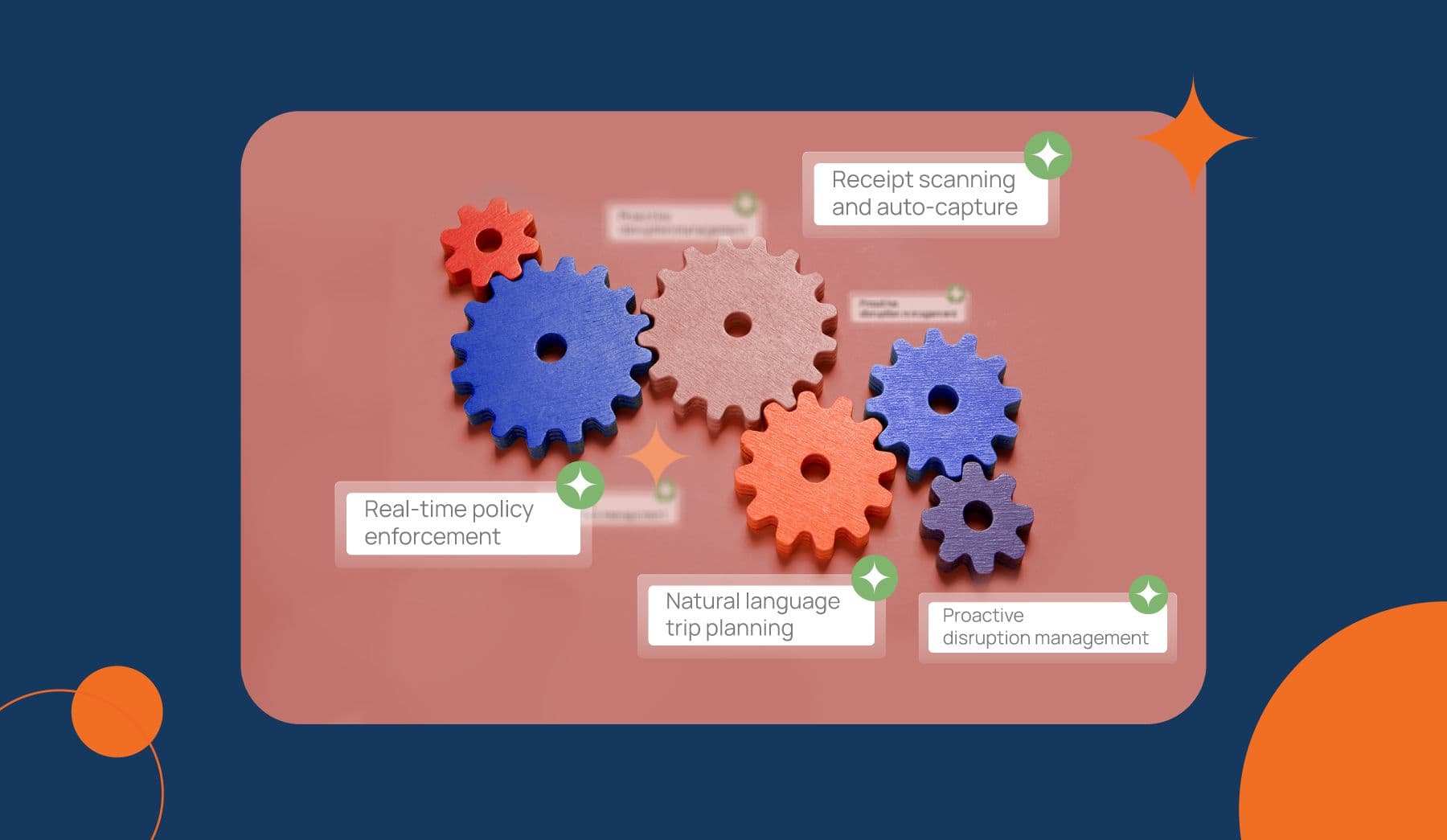
Natural language trip planning
Legacy way: Open portal. Click "Flight." Select dates. Select times. Filter by price. Scroll past 18 terrible options with 3 layovers. Dissociate for 5 minutes.
New way: You open WhatsApp or Teams and type: “Get me to San Francisco next Tuesday to Thursday. I need a hotel near the convention center.”
That’s it. The AI checks your calendar, knows you hate middle seats (because who doesn’t?), filters out the flights that cost $5,000, and serves you up the best three options. You tap "Book." You go back to doomscrolling.
2. The "Policy Police" (But Chill)
Real-time policy enforcement
Nobody and I mean nobody reads the 40-page travel policy PDF. It’s buried somewhere in an HR SharePoint folder that requires a map and a compass to find.
Usually, you find out you broke policy when Finance rejects your expense report three weeks later. Talk about an "ick" moment.
An AI Copilot stops the awkwardness before it starts. If you try to book the Four Seasons when you have a Holiday Inn budget, it gently nudges you: “Hey bestie, that’s a bit over budget. Here’s a great 4-star spot down the street that keeps the Finance team happy. Want that instead?”
3. The "Receipt Resurrection"
Receipt scanning and auto-capture
This is my personal Roman Empire. You buy a coffee. You put the receipt in your pocket. You wash your pants. The receipt is gone. You lose $6.
With an AI Copilot, the workflow changes. You buy the coffee. You snap a pic and text it to the bot immediately.
It scans it, reads the numbers, matches it to the credit card charge, and files it. You throw the paper away. It feels incredibly rebellious and satisfying. Slay.
4. The "Airport Panic" Button
Proactive disruption management
It’s 10 PM. You’re at O’Hare. Your flight is cancelled. The line at the customer service desk is longer than the line for the new GTA 6 release.
While everyone else is losing their minds, your AI Copilot has already texted you: “Heads up, your flight got axed. I found you a seat on the 7 AM flight tomorrow, or a connection through Denver tonight. Which do you want?”
This is on-trip assistance that actually assists, instead of just playing hold music at you while you contemplate your life choices.
5. The "I Know What You Like" Feature
Personalized business travel
Old software treats you like an NPC every time you log in. “Hi, would you like to fly Spirit Airlines today?” No, software, I would not. I never would.
An AI Copilot remembers. It knows you’re a Delta loyalist. It knows you’re a vegetarian. It knows you prefer hotels with gyms. It applies those filters automatically, so you don't have to re-enter your life story for every single trip. It’s got that rizz.
6. The "Manager Approval" Speed Run
Intelligent travel approvals
If you’re a manager, approving trips is just another task clogging your inbox. You usually let it sit for 3 days until the employee pings you in a panic because airfare prices just went up $200.
With AI, the approval request pings you in Slack/Teams.
“John wants to go to London. $1,200 flight. In Policy. Approve?”
You click "Yes." Boom. Done in 4 seconds. Very demure, very mindful.
7. The "Magic Calendar" Sync
AI-powered travel recommendations
This is for the super-busy folks. You put a client meeting on your Outlook/Google Calendar for "Chicago, Nov 12th.
The AI notices. It pings you: “I see you’re going to Chicago on the 12th. Want me to look for flights that get you there by 9 AM?
It’s almost creepy how helpful it is. Almost. Two steps ahead.
8. The "Bleisure" Calculation
Automated travel booking
You’re in Miami for a conference on Friday. You want to stay until Sunday because... it’s Miami.
Trying to expense this is usually a nightmare of "split receipts" and math equations to figure out what the company pays vs. what you pay. The AI Copilot handles the split automatically. It charges the extra hotel nights to your personal card and the flight/Friday night to the company. Zero math required. No cap.
9. The "Green Guilt" Trip
Sustainable corporate travel and expense management
We all want to be sustainable, but I’m probably not going to research carbon emission tables while booking a flight.
The AI does the math for you. “Taking the train to DC instead of flying saves 80kg of CO2 and is actually faster door-to-door. Want to switch?”
It makes being green the path of least resistance.
10. The "FAQ" Killer
AI travel assistant
“What’s the per diem for dinner?”
“Do I need a visa for Dubai?”
“Is Uber Black allowed?”
Instead of emailing HR (who is busy) or guessing (which is risky), you just ask the bot. It’s ingested your company’s rulebook and gives you the answer instantly. It’s the main character energy we all need.
The Bottom Line
Look, business travel automation isn't just about saving the company money (though your CFO will love that). It’s about removing the friction that makes work travel suck.
We’re moving from "Click-Based" (forms, portals, pain) to "Conversation-Based" (chatting, solving, done).
If you’re still forcing your team to use tools from 2010, you’re not just wasting time, you’re wasting their patience. Give them a tool that works like the apps they use in their real life.
Stop clicking. Start asking.
(And seriously, stop hoarding those receipts. It’s weird.)

Godi Yeshaswi
Senior Product MarketerIn this article
1.Natural language trip planning
2.Real-time policy enforcement
3.Receipt scanning and auto-capture
4.Proactive disruption management
5.Personalized business travel
6.Intelligent travel approvals
7.AI-powered travel recommendations
8.Automated travel booking
9.Sustainable corporate travel and expense management
10.AI travel assistant

Related Blogs